> For the complete documentation index, see [llms.txt](https://docs.decisionrules.io/doc/llms.txt). Markdown versions of documentation pages are available by appending `.md` to page URLs; this page is available as [Markdown](https://docs.decisionrules.io/doc/access/on-premise/sign-up-on-on-premise.md).
# Sign Up on On Premise
### Sign up in on-premise installations
This page describes how user registration works in self-hosted (on-premise) installations of DecisionRules.
The sign-up process depends on whether the application is already running with existing users, or whether it is a brand-new installation with no registered users yet.
### Existing installation
If the Decision Rules application is already running and at least one user is registered, the sign-up process works the same way as in the Cloud version.
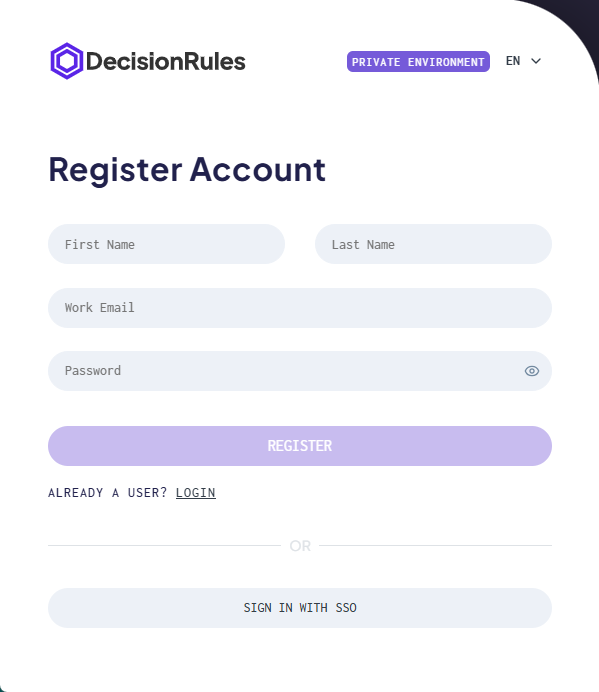
Users can register through the registration form available on the login page. After completing registration, the user can sign in and access the application according to assigned invitations and roles.
No email verification is required unless explicitly configured by your organization.
### Initial registration (first user)
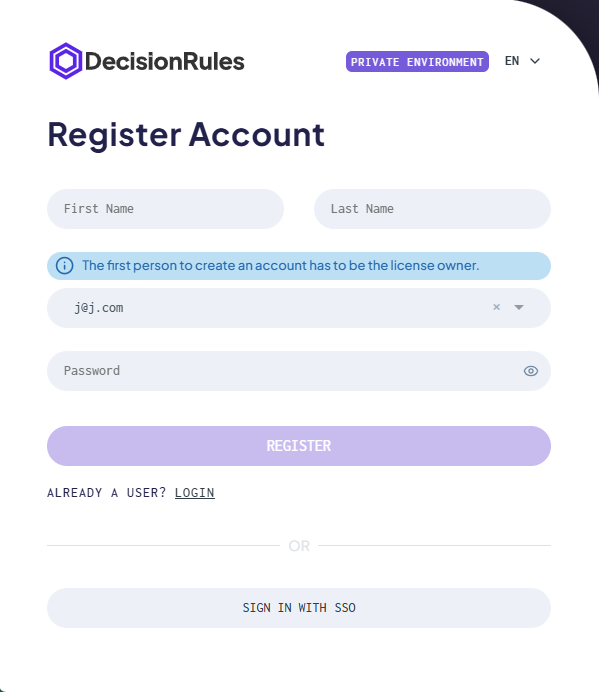
When Decision Rules is deployed for the first time and no users exist yet, the first registered user plays a special role.
In this case, the first user must be registered by one of the **license owners**.
The initial registration establishes the first administrative access to the application and allows further configuration, including inviting additional users and managing access.
Once the first user is registered, the application switches to the standard sign-up behavior used for existing installations.
### Authentication requirements after registration
Your environment's email-domain allowlist may restrict which accounts can register or sign in. If your domain is not allowed, contact your Environment Manager.
When **Enforce 2FA** is enabled, a new user signing in with email and password must set up an authenticator app before accessing the application. Follow the displayed setup instructions, or see [Two-factor authentication](https://docs.decisionrules.io/doc/profile/two-factor-authentication-2fa).
When **Only SSO** is enabled, standard users must use SAML SSO to access the application. Follow your administrator's sign-in instructions.
If the form displays an image CAPTCHA, enter its characters and submit the form again. Use the new image if it is replaced after an unsuccessful attempt.
If your account was created but the application returns you to login, sign in with that account instead of submitting registration again. See [Login on On Premise](https://docs.decisionrules.io/doc/access/on-premise/login-on-on-premise).
***
### Important notes
* Only one initial registration is possible when the system has no users.
* The first registered user should always be a license owner.
* After the initial setup is completed, all further registrations follow the standard sign-up flow.
---
# Agent Instructions
This documentation is published with GitBook. GitBook is the documentation platform designed so that both humans and AI agents can read, navigate, and reason over technical content effectively. Learn more at gitbook.com.
## Querying This Documentation
If you need additional information that is not directly available in this page, you can query the documentation by asking a question.
Perform an HTTP GET request on the following URL with the `ask` and `goal` query parameters:
```
GET https://docs.decisionrules.io/doc/access/on-premise/sign-up-on-on-premise.md?ask=&goal=
```
`ask` is the immediate question: it should be specific, self-contained, and written in natural language.
`goal` is what the user is ultimately trying to achieve, the reason they need the answer. Sharing it helps GitBook give you a better, more relevant answer. A goal is most helpful when it describes the outcome the user wants rather than restating the question. For example, with `ask=how do I create an API token`, a goal like `automate deployments from our CI pipeline` lets GitBook tailor the answer to that use case.
The response will contain a direct answer to the question and relevant excerpts and sources from the documentation.
Use this mechanism when the answer is not explicitly present in the current page, you need clarification or additional context, or you want to retrieve related documentation sections.